

Sharing updates and celebrating your students is one of the best parts of running a class-based business. But when that all happens on public social media, it comes with a lot of extra baggage: comments to moderate, privacy concerns, and no real control over who's actually seeing your posts.
That's why we built Spotlight.
What is Spotlight?
Spotlight is your in-app answer to a social media feed. It's a space inside Class Manager class management software, where you can post updates, share photos, and give families a behind-the-scenes look at what's happening in your studio, without any of it leaving the platform.
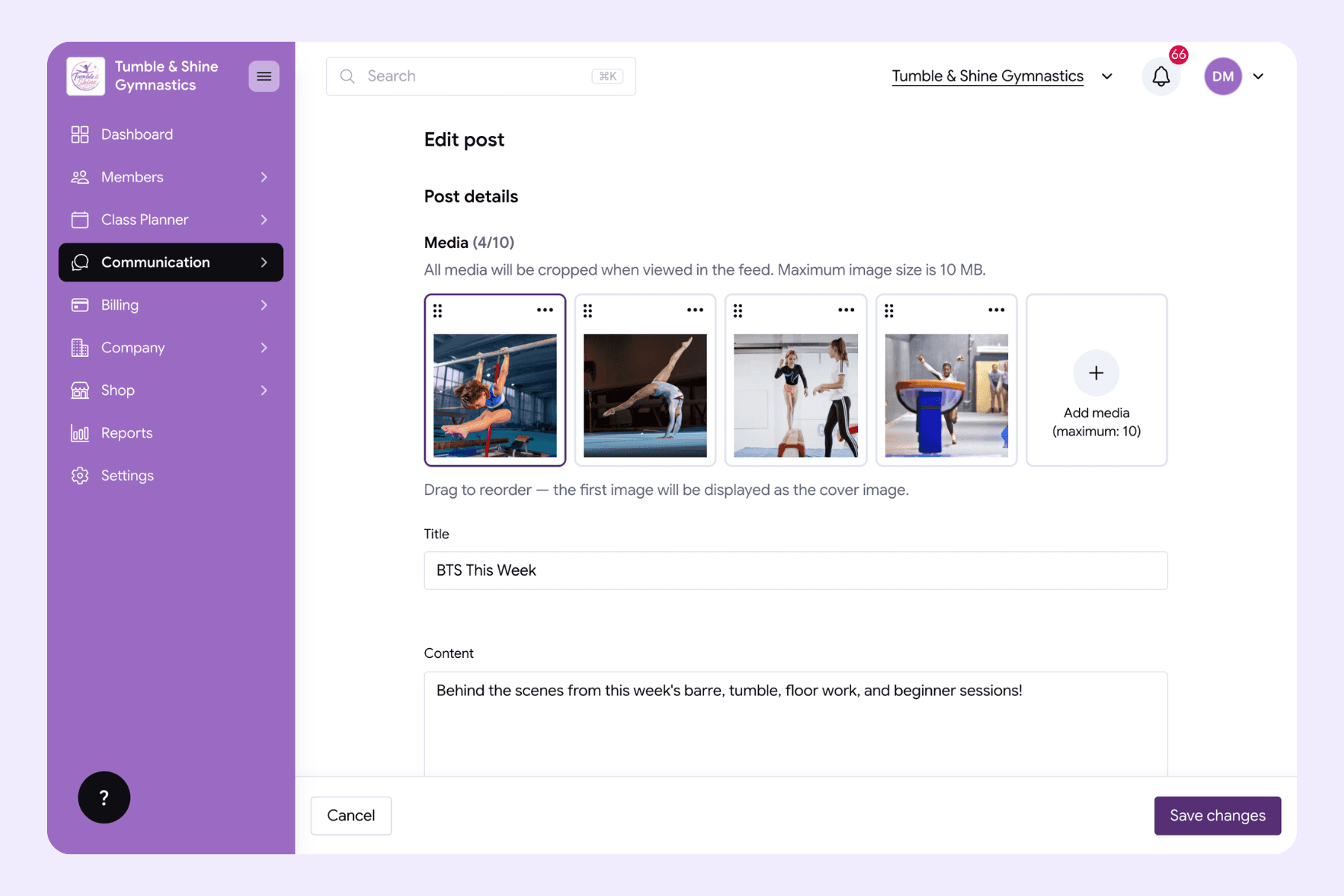
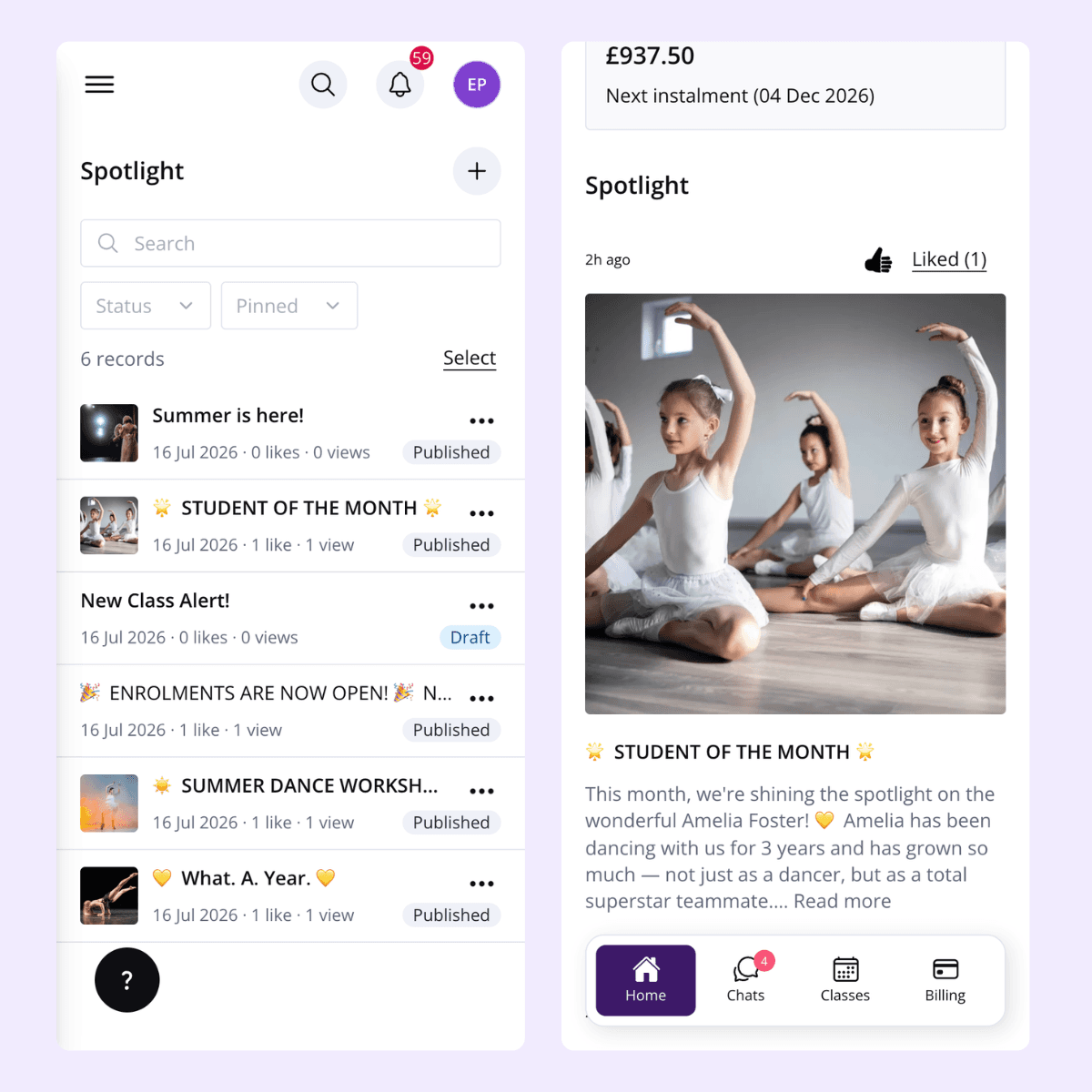
You're in full control of what gets shared and who sees it. Post to your whole studio, or target specific classes or groups. Share a single photo, a carousel, or just a text update. Once you post, it lands straight in your parent portal, where they can like it.
They can't comment. That might sound like a small detail, but it means one less place you have to keep an eye on and one less thing to manage day to day.
Why keep updates in Class Manager instead of on social media?
Your Facebook and Instagram are still brilliant for marketing and reaching new families. But they're public. Anyone can see what's posted, and anyone can comment, follow, screenshot, or share it further. Once a photo of your students is out on a public feed, you've lost control of where it ends up.
That's a real safeguarding concern. You want to celebrate your students' progress and share those proud moments, but you also have a responsibility to keep their images and information away from strangers.
Spotlight solves that by keeping updates contained to the people who should actually be seeing them: your current families, and only the classes or groups you choose to share with. There's no public visibility, no strangers scrolling through photos of children they have no connection to, and no risk of a post being shared outside the group it was meant for. You get to share the moment without the exposure.
It also means one less thing to monitor. Public comment sections need watching. Someone can say something inappropriate, tag the wrong person, or leave a comment that needs moderating before a parent sees it. With Spotlight, families can like a post to show their support.
What can you post?
Spotlight works for all kinds of updates, including:
Photos and behind-the-scenes moments
Session updates
Changes to class times (you can also send these through other communication methods, like ‘Chats: The Class Manager Feature That Saves Business Owners Time, Energy and Money’
General studio news and announcements
The key benefits
Safeguarding: photos and updates are only visible to the families in the classes or groups you choose, not the wider public.
Everything in one place: families don't need to follow you on three different platforms to stay in the loop. Session updates, class time changes, photos, and general news all live in the same portal they're already using to check schedules and payments.
Peace of mind for parents: not every family is on social media. Spotlight means they're not missing out on updates. They can log into their portal whenever suits them and know they've seen everything.
Less admin for you: no comments to reply to, no messages to moderate, no public page to keep an eye on outside of working hours. Families can still like a post to show they've seen it and appreciate it.
Keeps your marketing and your community updates separate: your public social media can stay focused on attracting new families and promoting your studio, while Spotlight becomes the space for the day-to-day moments meant just for the families already enrolled.
Flexibility in how you post: whether it's a single photo, a carousel from a competition or show, or just a text update about a schedule change, Spotlight adapts to whatever you need to share, without you having to think about formatting it for a public audience.
Pin important updates: Got an important update? Pin it to the top of the profile.
Save as drafts: Want to pre-create posts? Or not ready to hit post? Unlike on social media, you can save posts as drafts and go back to them at a later date.
One portal to control: See view and like stats, manage, edit, delete, pin or unpin posts in one space on your owner portal.
Spotlight isn't about replacing your social media. It's about giving you a dedicated, safer space for the day-to-day updates that matter most to your families, without the extra admin, exposure, or worry that comes with posting them publicly.
Want to find out more about Spotlight? Book a demo with our team, who can take you through it all. Or, create your free account. Or, see our team take you through it in more detail here.

