
Spotlight
Your Studio's Own Private Social Feed
Share photos, news and show details with your families, right inside Class Manager. Only the families you choose can see it, and nothing ever goes public.
Spotlight
Your Studio's Own Private Social Feed
Share photos, news and show details with your families, right inside Class Manager. Only the families you choose can see it, and nothing ever goes public.
4.8
4.8
Improve Student Experience
Pin What Matters
In the parent Portal
Improve Student Experience
Pin What Matters
In the parent Portal
What Is Spotlight
Spotlight is a social feed built into Class Manager. Your posts appear in the parent portal families already use for bookings, payments and schedules, so your news sits right next to everything else they need. Think of it as a noticeboard families carry in their pocket.
Here's what you can do with it:
Post to everyone, or just one class. Share with the whole studio, or pick specific classes or groups, like your competition team or your Saturday tots.
Share photos, carousels or text. Post a single photo, a carousel from show day, or a quick text update about a timetable change.
Save drafts. Start a post now and come back to finish it later.
Pin important posts. Keep show details or term dates at the top of the feed where families can't miss them.
See how posts are doing. Check views and likes for every post from your owner portal, and edit, delete, pin or unpin in one place.
Families can like your posts, but they can't comment. That keeps the feed tidy and means there's nothing for you to moderate.

Free Class Management Software
Just a service charge for all online payments processed.

Pin It Once, Stop Answering The Same Question
Pinned posts stay at the top of your feed, with newer posts appearing underneath. So the details families check again and again are always the first thing they see. Our rule of thumb: if families will check it more than once, pin it.
Perfect for pinning:
Shows and performances: date, venue, timings, tickets, rehearsals, costume, hair and make-up, drop-off and collection
Term dates and timetable changes
Closures, holidays and make-up classes
Exam and grading days
Uniform and kit requirements
New classes, fee changes and policy updates
When plans change, edit the pinned post and every family sees the latest version straight away. No more corrections scattered across emails and messages, and your teachers can point everyone to the same answer.
Once the show's over, unpin it and post a thank-you with photos to celebrate your students, parents and volunteers.
Why Studios Love Spotlight
Keep students' photos private. Posts are only seen by current families in the classes you choose. Nothing is public, so no strangers viewing, commenting on or sharing your students' images.
Nothing to moderate. No comments means no threads to keep an eye on, no replies to manage and no public page to watch.
Everything in one app. Your updates sit alongside schedules, payments and Chats, so families aren't hunting across Facebook groups, WhatsApp and email.
Reach every family. Not everyone is on social media. With Spotlight, every family can catch up in the portal whenever suits them.
Post without polishing. No need to make every post look perfect for the public. A quick rehearsal photo or a two-line reminder is fine.
Keep marketing and community separate. Let your public socials focus on winning new families, while Spotlight looks after the ones you already have.
Why Families Love It
One place for everything. News, photos, timetables and payments, all in the same portal.
Nothing gets missed. No more important updates buried in a busy group chat.
Works on any device. Phone, tablet or desktop.
Less stress before show day. One pinned post with every detail, which is a huge help for parents with more than one child or a first-time performer.
Feel part of studio life. Rehearsal sneak peeks, costume reveals and class shout-outs help students and parents feel more connected to your studio.
Before Class Manager I did all my studio management by hand, so it was a complete game changer.
Katherine Bates
Cirencester Creative Dance Academy
Still Have Questions?
Who can see Spotlight posts?
Can families comment on posts?
Can I post to just one class?
Yes. Post to the whole studio, or target specific classes or groups
What can I post?
Can I see how many families have seen a post?
Want To See The Software In Action?
Want To See The Software In Action?
Want To See The Software In Action?
Book a personalized and no-obligation demo with our team today.
Book a personalized and no-obligation demo with our team today.
Improve Student Experience
Grow Your Studio
Range of Permission Holders
Student Enrollment—Easy As 5,6,7,8
No barriers, just easy enrollment.
With Class Manager, signing up for classes is effortless:
For students: Log in, update personal details, check schedules, and book classes.
For teachers: Instantly access student information, lesson schedules, and key details like photo consent or allergies.
For studio owners: Manage everything you need from one intuitive dashboard.
Plus, boost enrollment by sharing your custom, branded sign-up link on your website, social channels, or in emails. Making it even easier for you to grow your studio.
And the real win? Once a parent or student has created their account, they're already set up and connected. Re-enrolling in a new term or registering for an additional program takes just a few clicks. No forms to fill out again, no friction. Keeping existing children engaged and creating registrations for more classes becomes effortless, which means more consistent revenue and a community that keeps coming back.
Student & Parent Enrollment Portal
Give your students connected access to everything they need — without having to contact you.
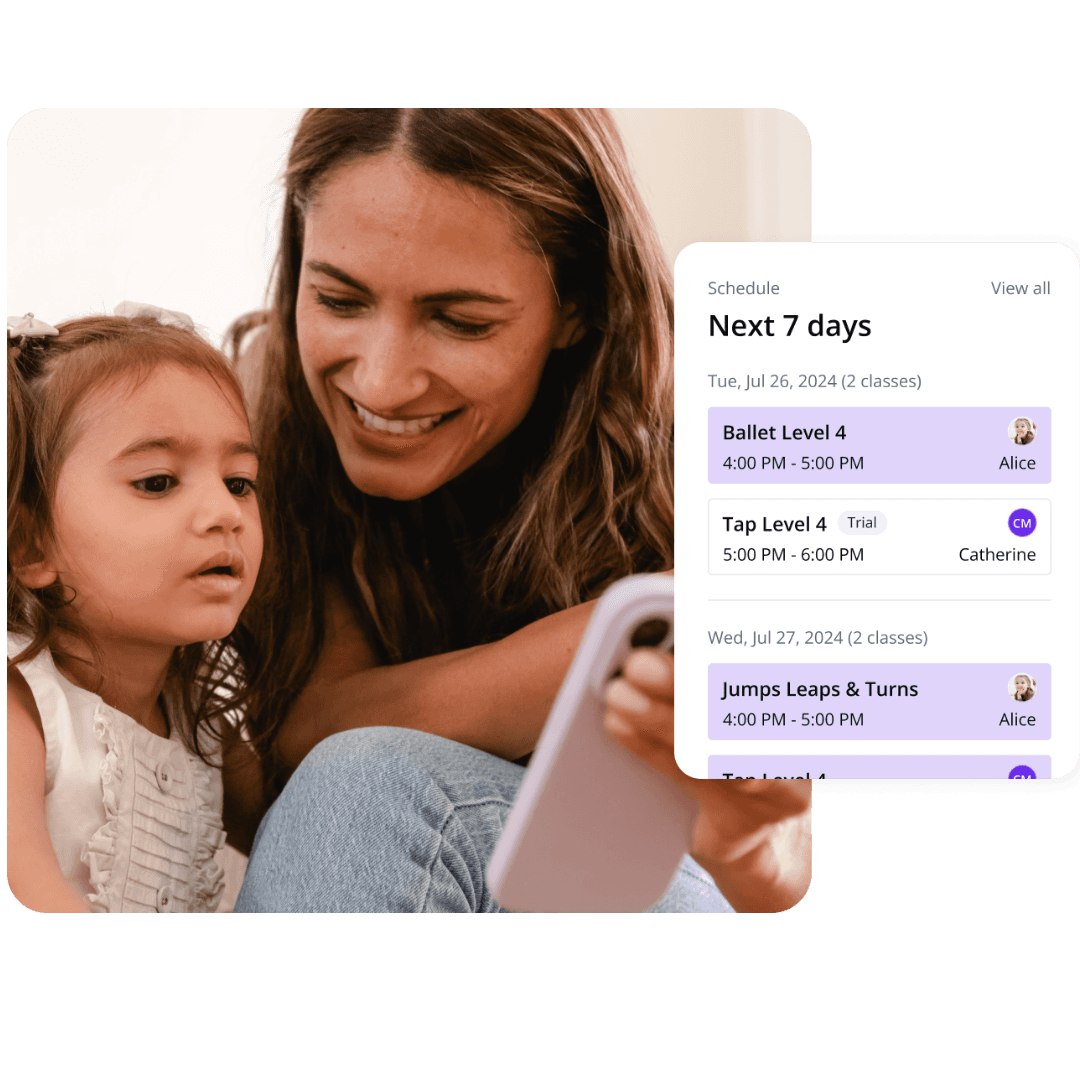
Imagine how much smoother your studio could run if parents and students could see everything they need, independently, at any time. With Class Manager's student and parent portal, they can.
The simplest enrolment process you'll ever offer
Growing your studio starts with removing the barriers to joining it. With Class Manager, student enrollment is as easy as sharing a link. New and existing students click it, create their account, and sign up for their desired classes, no back-and-forth, no phone calls, no paperwork. Just a simple, seamless student enrollment software that makes it easier than ever to onboard new students and grow your studio.
Free Class Management Software
Just a service charge for all online payments processed.
Benefits of Student Management Software
All Your Admin In One Place
See students’ emergency contacts, photo consent, and medical information - at a glance.
Digital records give your studio a polished, professional look.
Saving You Time by chasing paperwork or manually sending information.
Say goodbye to messy paper records and hello to an eco-friendly and efficient solution.
Student management goes beyond simply storing information. It creates the visibility, accessibility, and support structures that allow your studio to grow without your admin workload growing with it.
For studios looking to grow their programs, the opportunity has never been greater.

The Benefits of Student Management Software
Having the right student management system in place isn't just a nice-to-have — it's essential for running an efficient, professional studio. A well-built student portal takes significant pressure off you and your staff by addressing the most common administrative inefficiencies head-on.
When parents have direct access to their children's schedules, billing, attendance records, and enrolment options, you, the business owner, spend less time fielding questions and more time focused on what you do best. It also improves engagement — connected parents are informed parents, and informed parents stay committed.
The Impact On Your Members
Student Management Made Easy
Student enrollments are hassle-free.
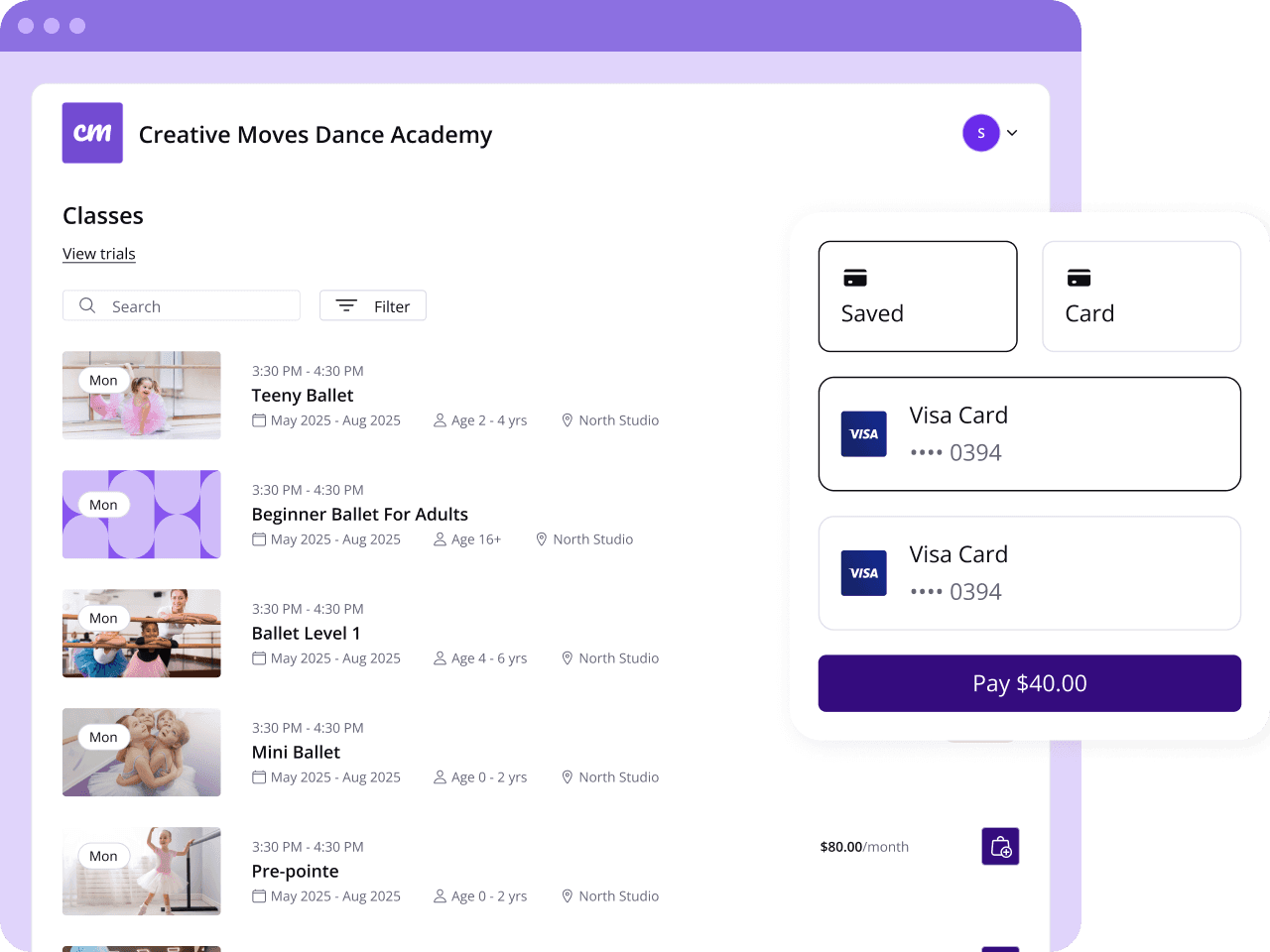
Create an account and add emergency contacts, photo consent, medical information, and a payment card (for automatic billing).
Browse classes and schedules, booking onto available classes with one click.
Once enrolled, students can check their weekly schedules.
Users can easily view a list of classes, students, or features within the platform, making navigation and management straightforward.
Schools can also track attendance patterns, performance, and behavior reports.
All Essential Information, In One Place
Once connected, parents and students have full visibility over everything that matters to them. Through the student management portal, they can:
View their class schedules and track attendance
Update their personal information and address details
Add a saved card for automated billing and manage their payments
Browse and purchase uniforms and costumes through the integrated shop — filterable by specific class or available studio-wide (which you have full control over.)
Before Class Manager I did all my studio management by hand, so it was a complete game changer.
Katherine Bates
Cirencester Creative Dance Academy
Still Have Questions?
Who Can View Student Information?
Can existing students re-enroll or sign up for new classes through the portal?
How easy is it for parents and students to use the portal?
Very. The portal is designed to be intuitive and accessible on all devices — desktop, tablet, or mobile. No technical knowledge is needed. Once an account is set up, parents can log in and find everything in one place: class schedules, billing, enrollment options, and more. It's built for busy people who need quick, clear answers without having to search for them.

Class Manager is a trusted class
management software used by
dance studios and business
owners across the
UK, United States, Australia,
and beyond.
Planning an event or recital?
Visit our sister company, Stage Stubs
for all your ticketing needs.
Free for studios.

Contact Sales
Contact Support
UK +44 330 333 5151
© Class Manager 2026, All Rights Reserved
Class Manager is a trusted class
management software used by
dance studios and business
owners across the
UK, United States, Australia,
and beyond.
Planning an event or recital?
Visit our sister company, Stage Stubs
for all your ticketing needs.
Free for studios.
Contact Sales
Contact Support
© Class Manager 2026, All Rights Reserved