

If you're a dance, gymnastics, swim, or martial arts studio owner, you know the drill. Keeping track of every student's progress- who's ready to move up a belt, who's working on their splits, who needs a bit more help with their handstand- usually means a mix of memory, scraps of paper, and notes scattered across different teachers' phones.
Class Manager's class management software has changed that. Skill tracking and grading are now built right into the studio software platform, so every student's progress lives in one secure, structured place instead of floating around in notebooks and text messages.
How Skill Tracking Works In Class Management Software
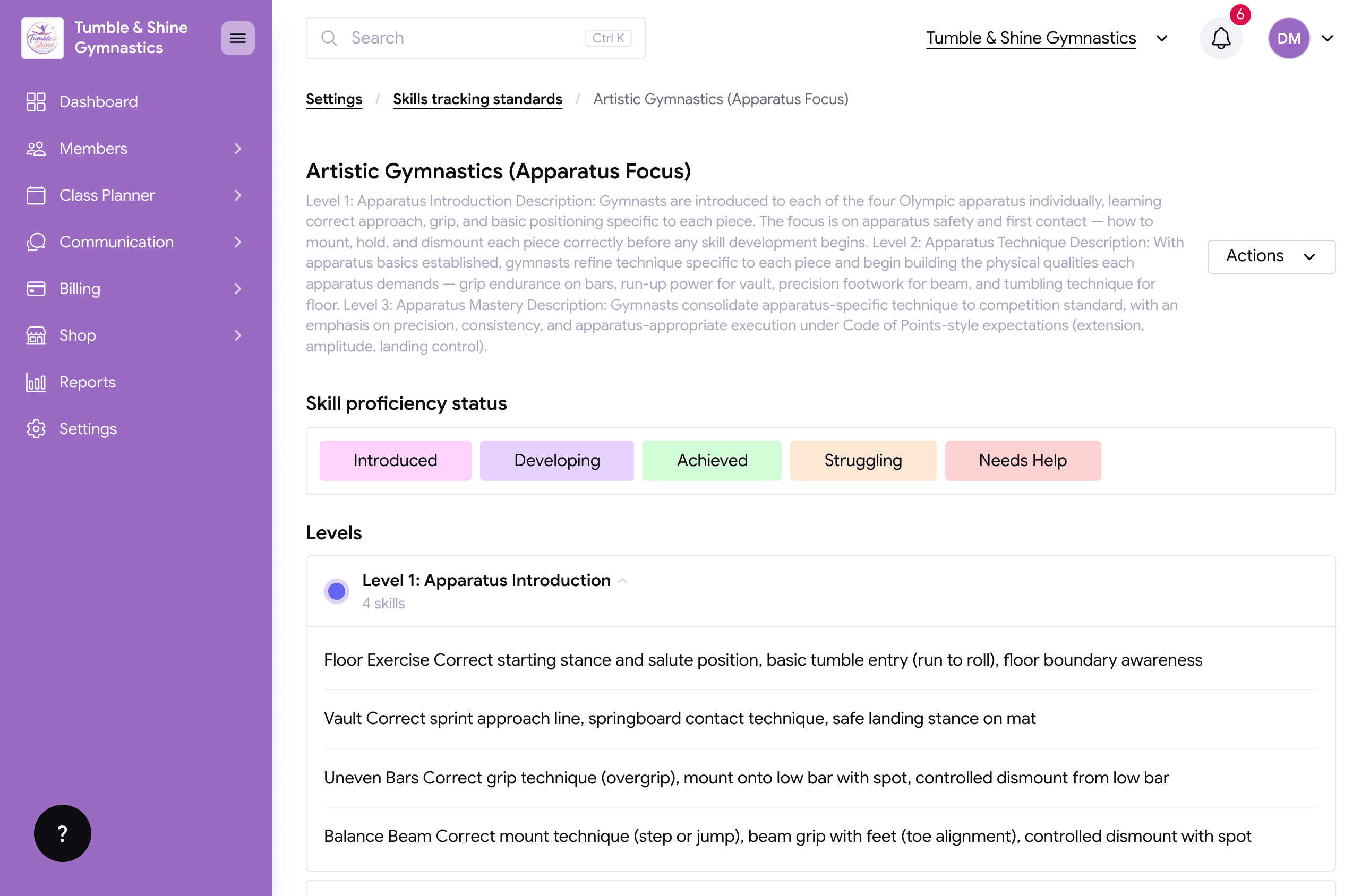
Skill tracking lets you set the exact skills and levels each student needs to master before moving up a class, entering a competition, performing a solo, or grading to their next belt.
Each skill gets its own status that you can create and adjust to fit your studio, things like started, working on, achieved, needs work, or struggling. Every class and every student is working towards something, whether that's a new belt, a new grade, or nailing a tricky new skill. Instead of relying on memory or paper records, you can track it all through your members' online portal.
Set the skills and milestones that matter to your studio, then mark each student's progress as they go. No more trying to remember who's ready to move up. It's all sitting right alongside their profile.
You're also in control of what parents see. They can view their child's current grade and when they move up, but they won't see the full breakdown of individual skills being worked on. And when grading or assessment time rolls around, you've got a clear record of exactly where every student stands, making the whole process faster and easier to manage.
Benefits for your studio
Every coach and teacher knows exactly where each student, or the class as a whole, stands
Spot who needs a bit of extra help and attention, quickly
Add notes to lessons, classes, or individual students, so everyone stays on the same page no matter who's teaching
Choose whether to show skills and tracking on the family portal, or keep it internal; it's entirely up to you
Everything lives in one app, saving you time and keeping your studio organised
Ready to get started?
Want to see skill tracking in action? Check out our video walkthrough for a full look at how it works in your Class Manager account.
Or, if you'd like to find out more about Class Manager and start running your business with it, along with the wide range of features designed to save you hours of admin every week, book a demo with our team, who can take you through it all. Or, create your free account.
Or, learn more in our past blog posts here:
Football Registration Software: How to Streamline Signups, Payments, and Data for Your Club
7 Payment Friction Points Killing Class Studio Revenue (And How To Fix Them Fast)
Why Class Manager Is The Best Class Management Software For New Class-based Businesses?
Why Class Manager Is the Best Option for Your Management Software?
Automated Emails for Trials, Enrolments & More: Let Class Manager Do the Chasing
Reporting Software for Dance Studios: How to Turn Class Manager Data into Smart Decisions
The Benefits Of Utilising Automated Trial Emails for Studio Owners

